How to buy a token pack?
Updated on 16 August 2026
From the Packs page, click **Buy** under the pack of your choice, review the order summary on the payment page, choose your payment method, then submit. Once payment is confirmed, your new tokens are immediately added to your balance.
Choose your pack
From the Packs page, click Buy under the desired pack. You are redirected to the payment page dedicated to that pack.
Review the order and choose the payment method
The payment page summarizes the chosen pack (number of quotes included, validity period) and its price, tax included. The active payment method(s) are offered — see what payment methods are available.
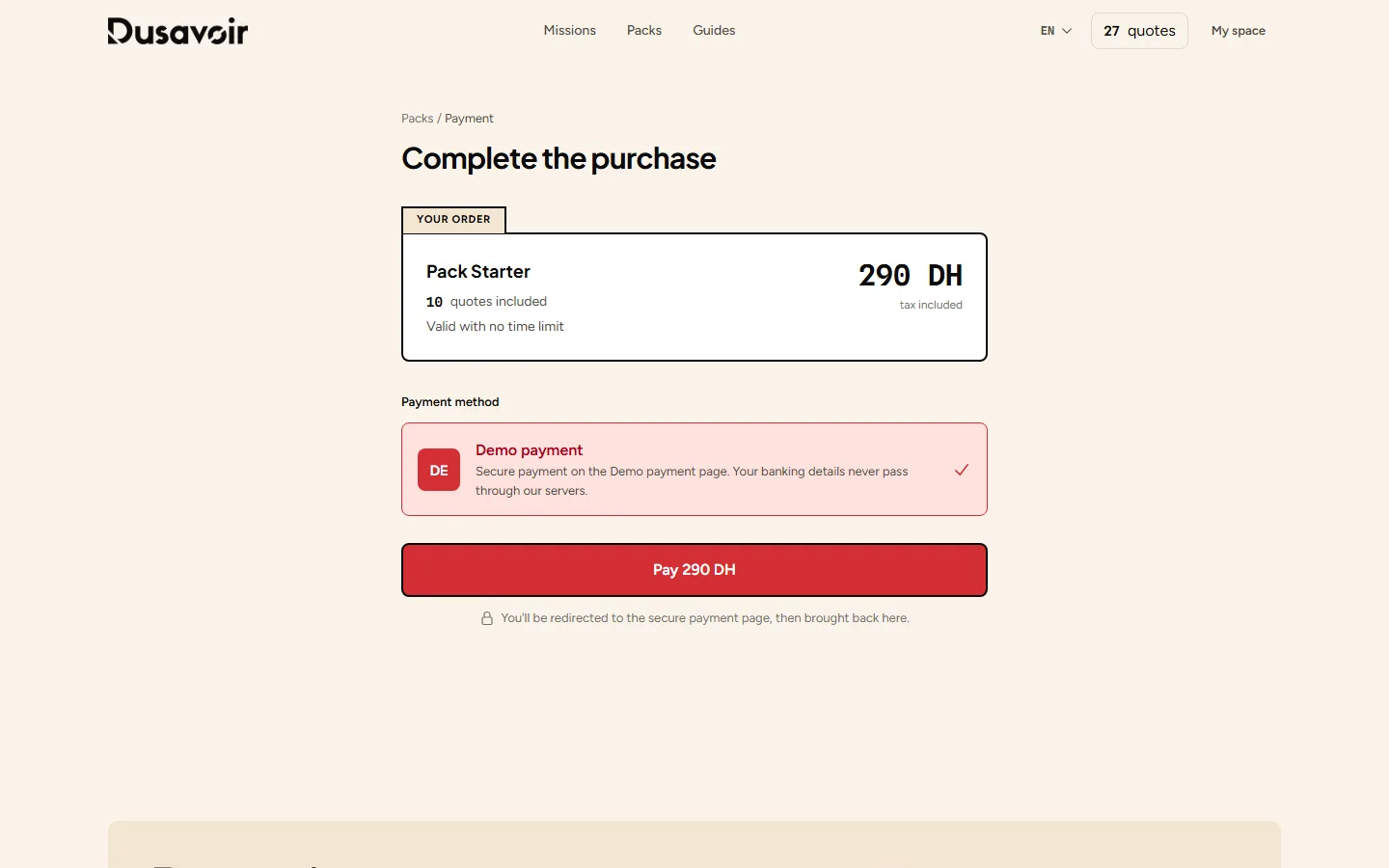
Pay on the secure page
By clicking Pay, you are redirected to the configured provider's payment page. Your banking details never pass through Dusavoir's servers.
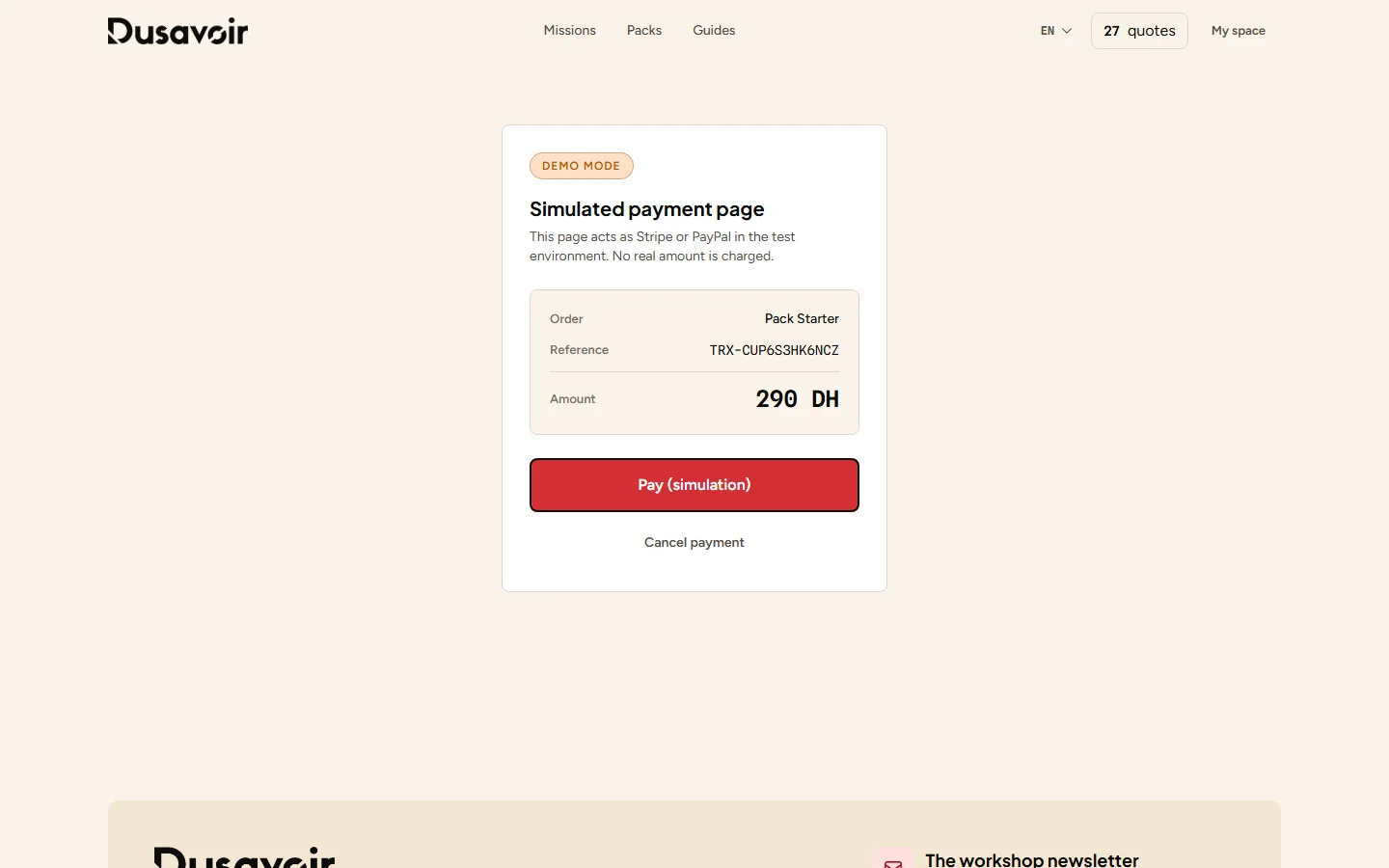
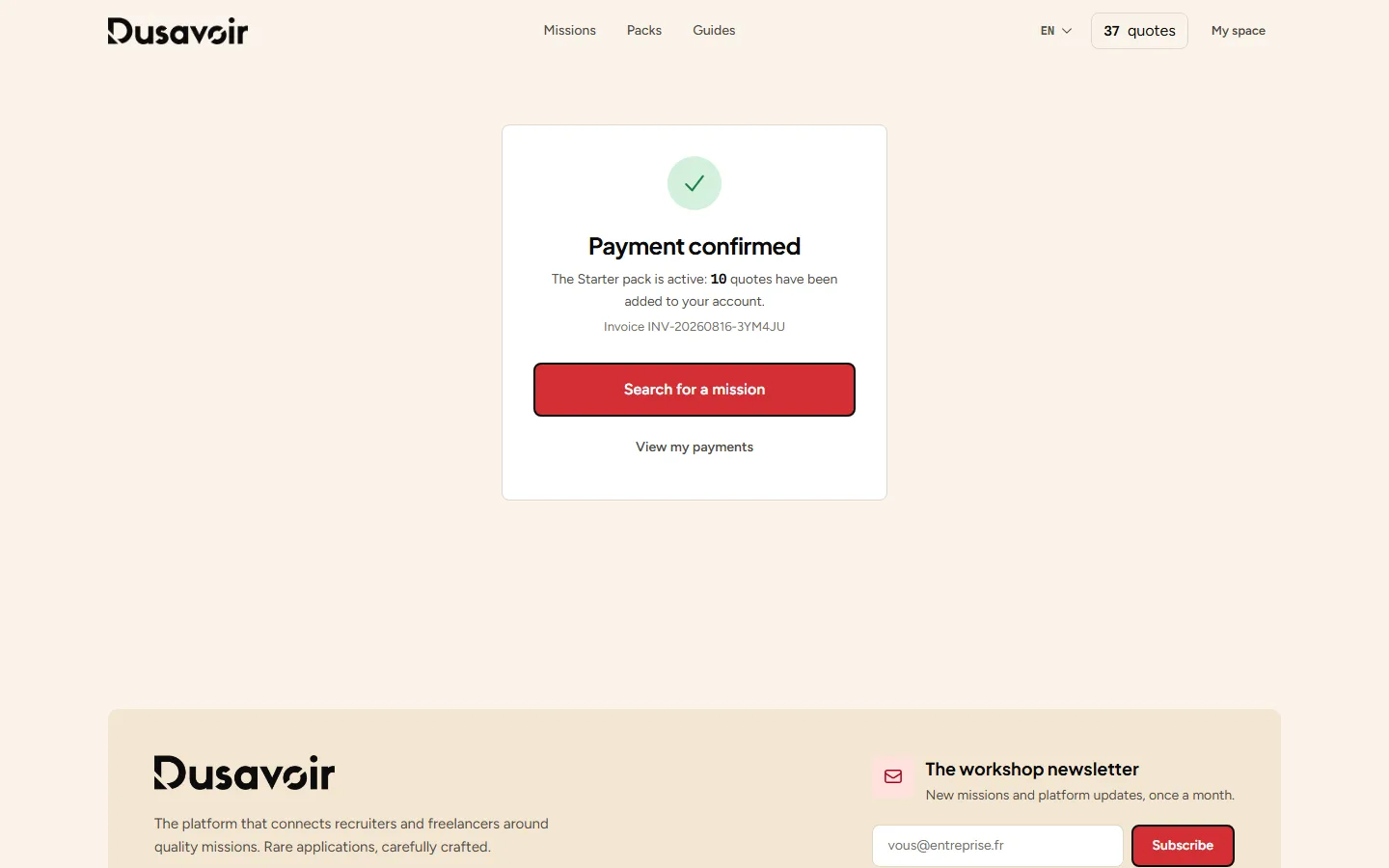
Your tokens are credited
Once payment is confirmed, you are brought back to Dusavoir and your token balance is immediately updated. A history of your purchases remains available from Payments in your freelancer space.
Frequently asked questions
What if my payment fails?
See what to do if a payment fails: your token balance is not changed until payment is confirmed, so you can retry without risking a double charge.
Where can I find my invoices and purchase history?
From your freelancer space, the Payments section lists the history of your transactions and their status.
Another question?
Our team replies Monday through Friday.