How to contact a freelancer before choosing their quote?
Updated on 16 August 2026
From your mission detail page, every quote received offers a **Contact** button: it opens a conversation with the freelancer in question even before you have accepted or declined their application, so you can ask questions before deciding.
Find the quote that interests you
In the list of quotes received on your mission, each application shows three possible actions: Accept, Decline and Contact.
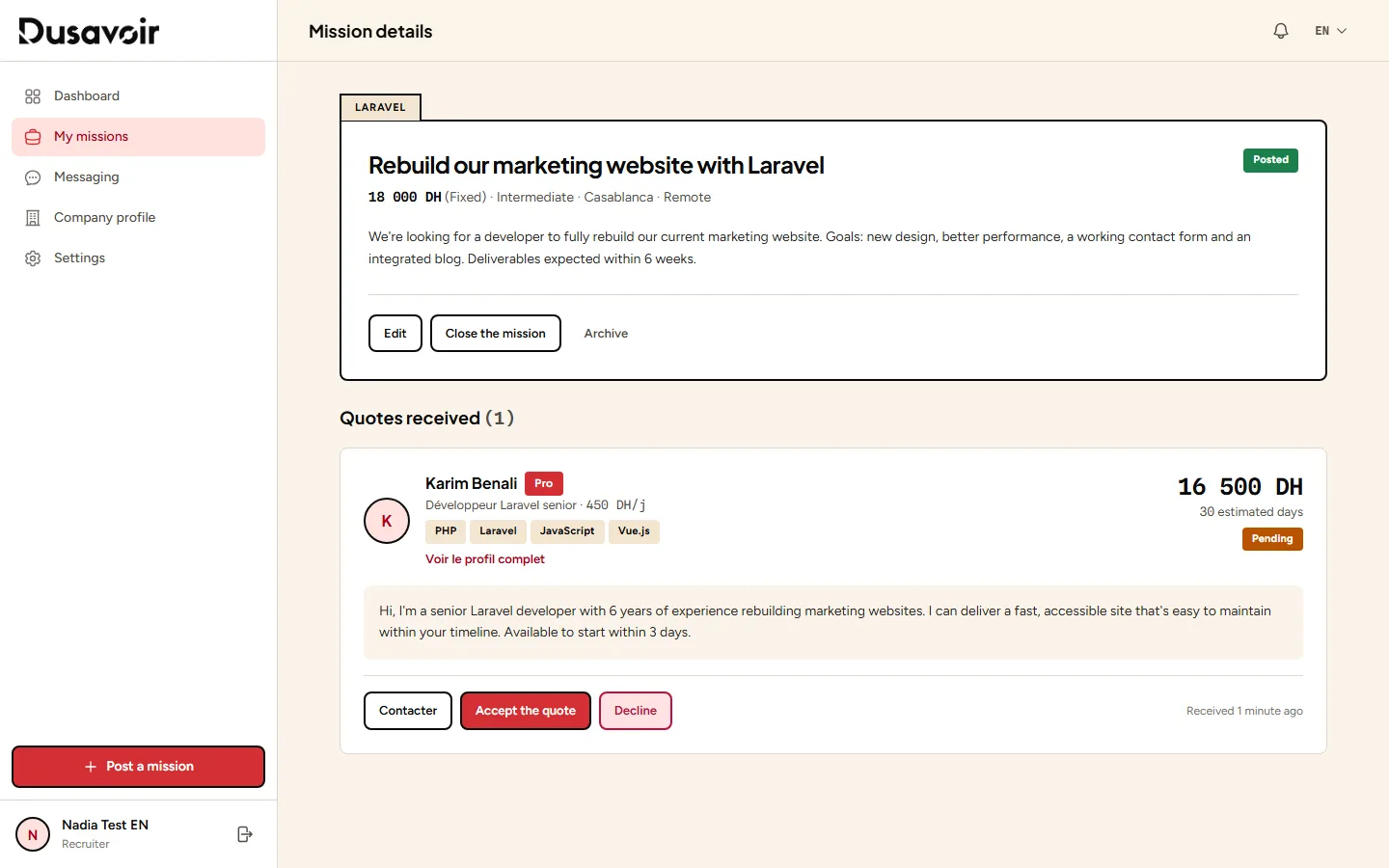
Open the conversation
Click Contact: a conversation starts with the freelancer in your messaging, without committing either of you — you can then accept or decline the quote at any time, before or after this exchange.
Frequently asked questions
Does contacting a freelancer commit me to accepting their quote?
No. The Contact button simply opens a conversation to clarify points before your decision; you remain free to accept, decline, or contact other candidates in parallel.
Can the freelancer also contact me before I decide?
Yes, in some cases: a freelancer who has already sent a quote on your mission may contact you back, depending on their token pack.
Another question?
Our team replies Monday through Friday.