How to receive and compare the quotes you get?
Updated on 16 August 2026
Quotes sent by freelancers appear directly on your mission's detail page, in the "Quotes received" section. Each quote shows the amount proposed, the estimated duration and an introductory message from the freelancer: this is the basis on which you compare applications before accepting one.
Open your mission detail
From My missions, click on the mission in question. The Quotes received section lists every application, with the count shown in parentheses.
Compare the applications
For each quote, you see the amount proposed, the estimated duration (in days) and the freelancer's message detailing their approach. There is no separate freelancer directory to browse: it is only through these quotes that you discover who applied to your mission.
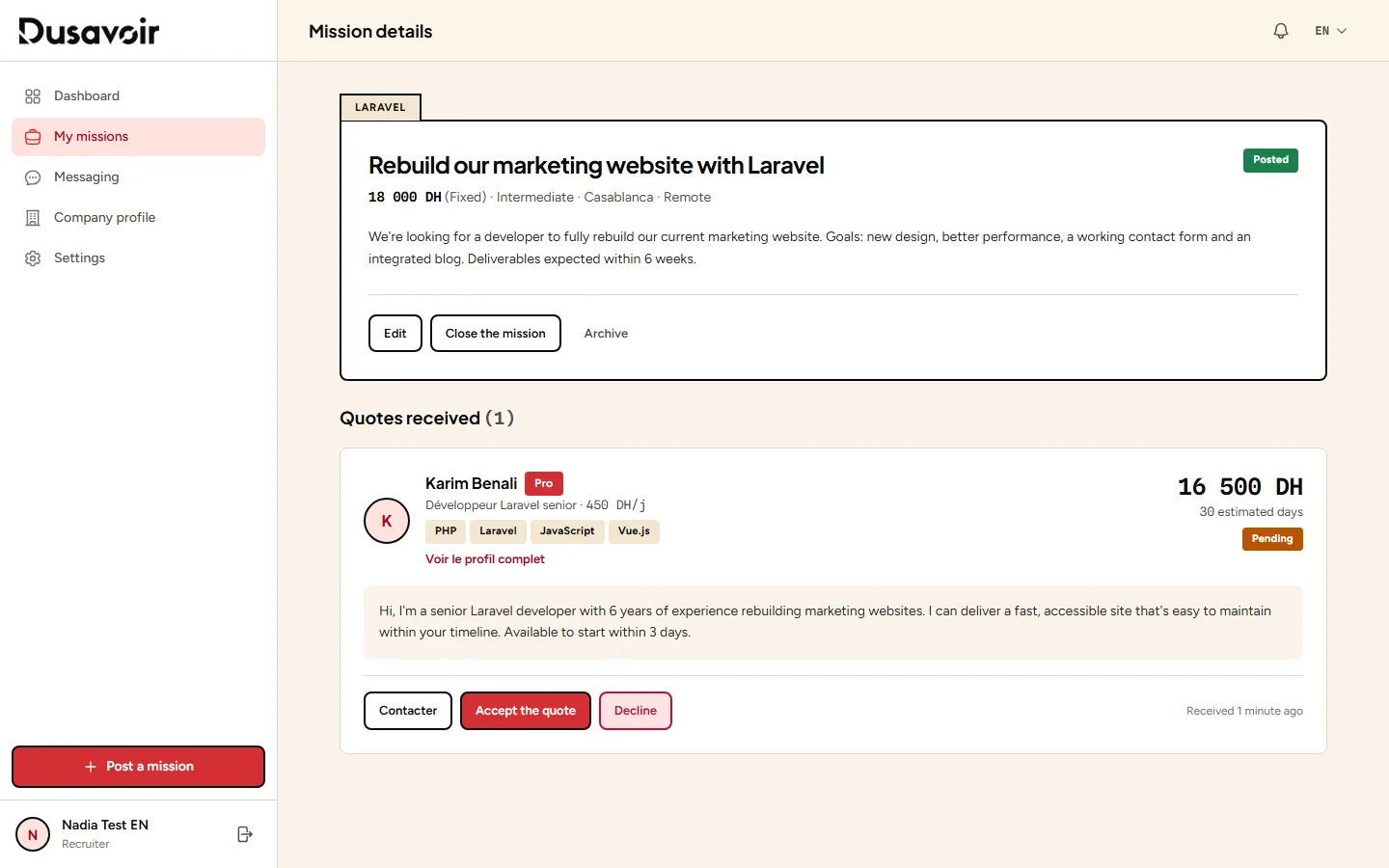
Exchange messages before deciding if needed
If a quote interests you but you have questions, you can contact the freelancer directly from their application before making your decision — see how to contact a freelancer before deciding.
A quote never reveals your company's identity to the freelancer before messaging opens: your profile stays protected throughout the selection phase.
Frequently asked questions
How many quotes can I receive on a mission?
There is no cap on the recruiter side: any freelancer with a token can apply. The number of quotes received mostly depends on how attractive your mission is (clear title, realistic budget, detailed description).
What should I do if I receive no quotes?
First check that your mission has indeed moved to "Published" status (and is no longer "Pending review"). Then, a more realistic budget, a more precise title or a better-chosen category generally increase applications.
Can I decline a quote?
Yes, each quote can be declined individually from the mission detail page, independently of accepting another one.
Another question?
Our team replies Monday through Friday.