How to create your freelancer profile on Dusavoir?
Updated on 16 August 2026
From "My profile", fill in your job title, category, a bio, your skills (15 maximum), your daily rate, your city, your languages and your availability, then add a photo and a CV if you wish. Every change is sent to the Dusavoir team for review before being published.
Open your profile
From your freelancer dashboard, go to My profile. The form is empty until you fill it in.
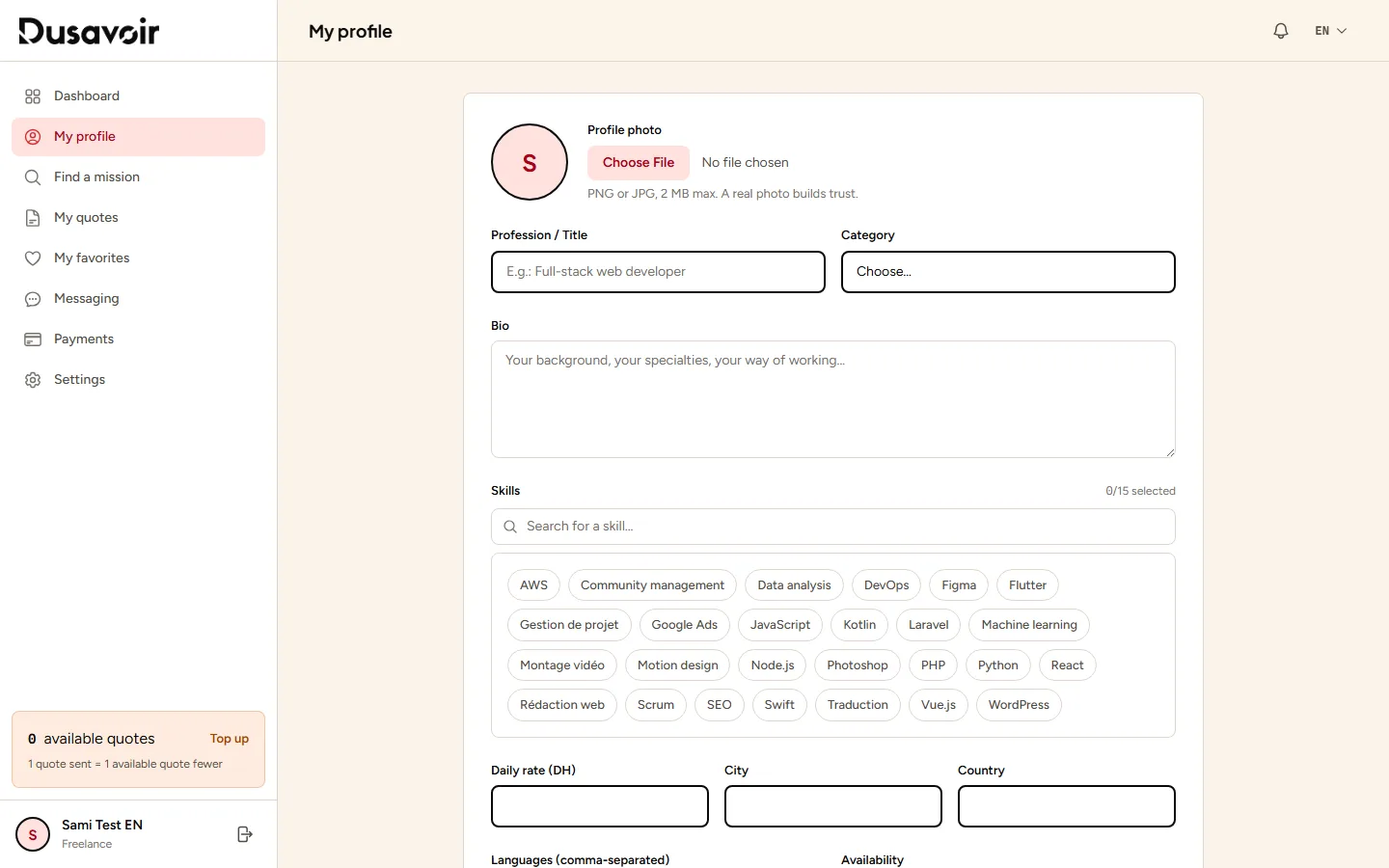
Fill in your professional identity
Provide your job title, your category, a bio presenting your background and how you work, then select up to 15 skills from the list (or suggest new ones if they don't exist yet — they will also be submitted for review).
Complete rate, location and availability
Provide your daily rate in dirhams, your city and country, the languages you speak, and your current availability. You can also add a profile photo (2 MB max) and a CV in PDF format (5 MB max).
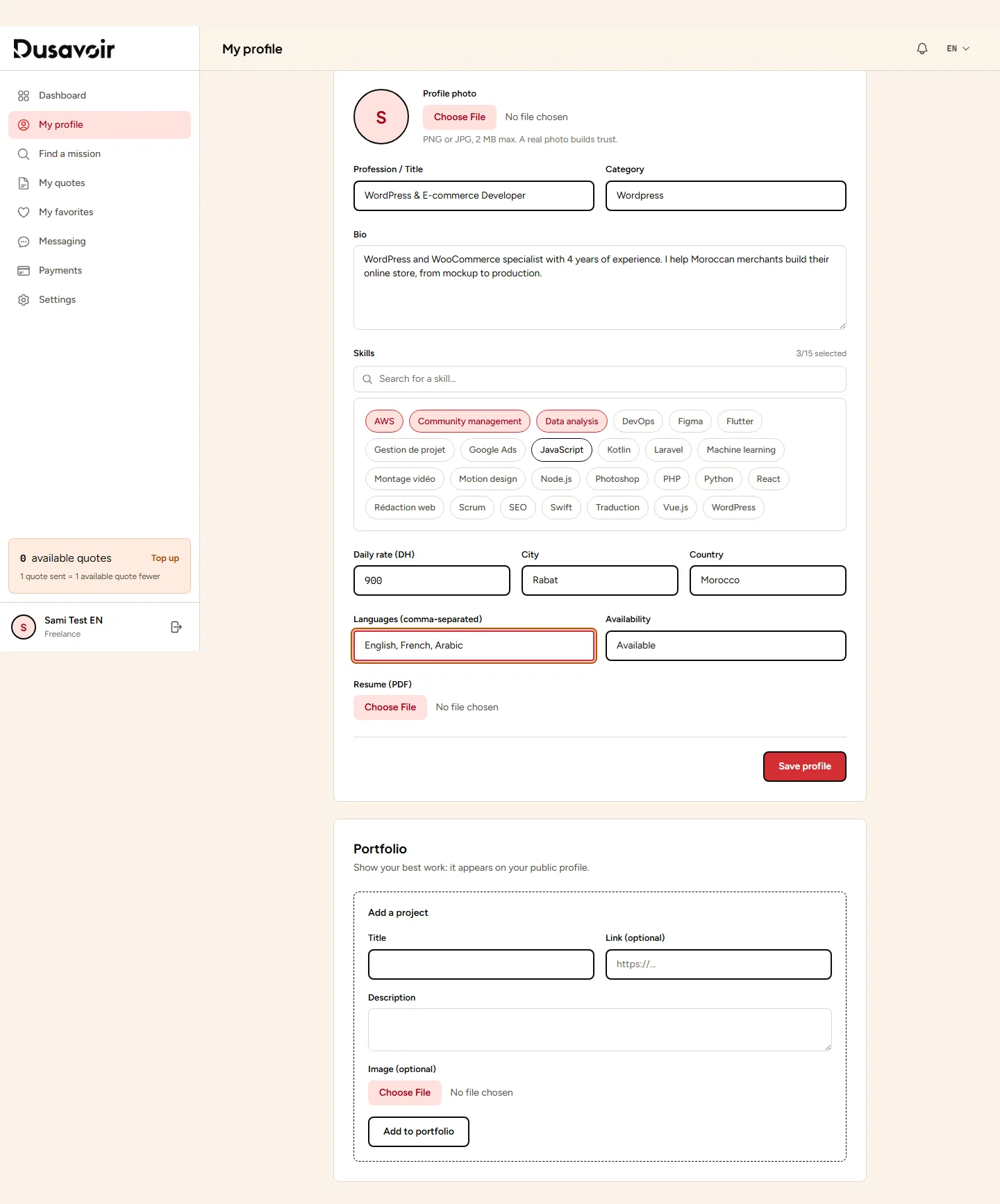
Save: your profile goes into review
Click Save profile. Your changes are not published immediately: they go through a review by the Dusavoir team. In the meantime, your last approved version remains publicly visible.
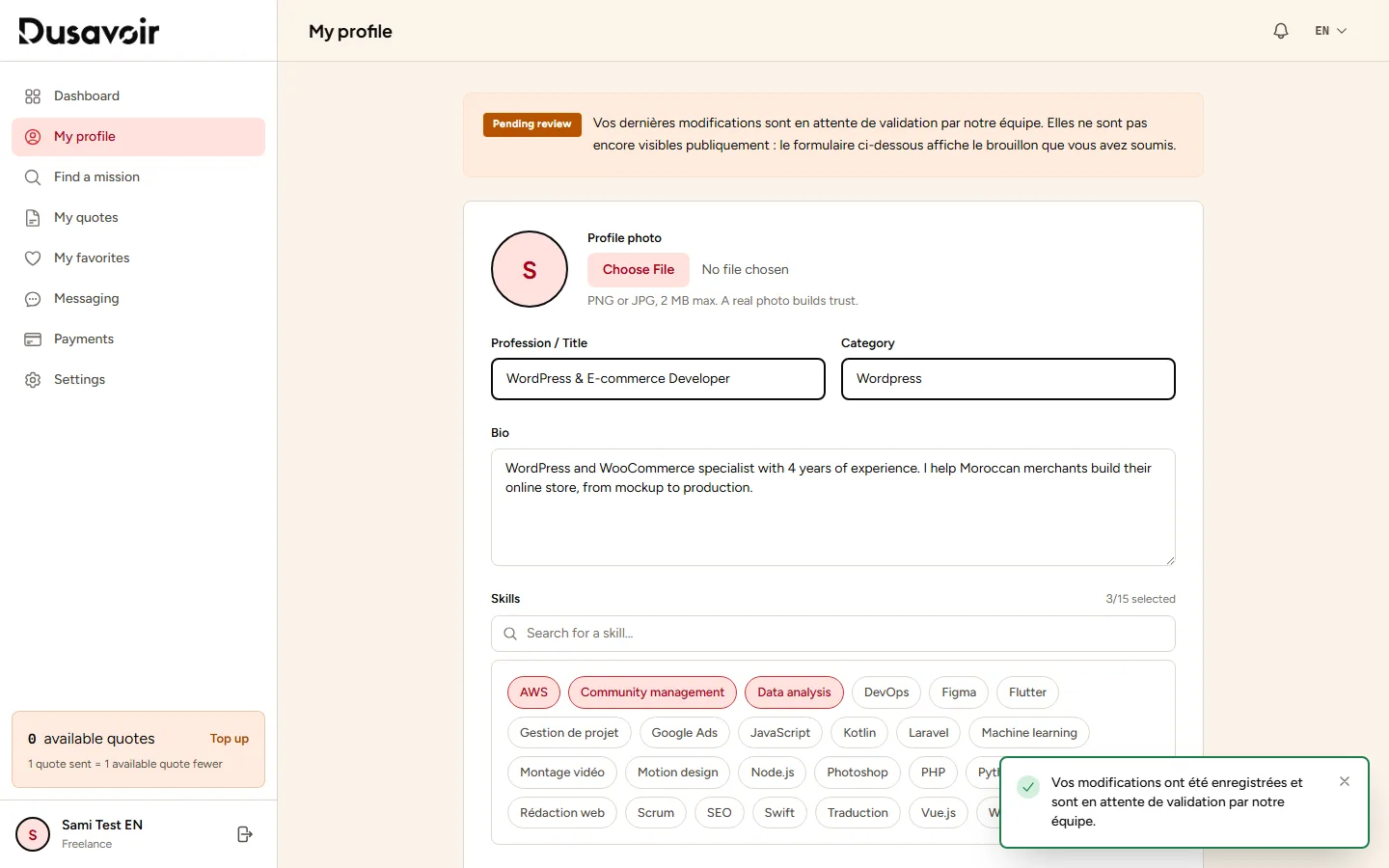
A real profile photo and a realistic daily rate inspire more confidence in recruiters reviewing your quotes.
Don't forget your portfolio: add your best work from the dedicated section at the bottom of the profile page.
Frequently asked questions
Why does it take time for my profile to become visible?
Every profile change (including the first one) is subject to review by the Dusavoir team before publication. If your profile is rejected, the reason is shown in the form so you can fix it.
Is there a public page listing all freelancers?
No, Dusavoir does not offer a public freelancer directory to browse. Your profile is showcased when you send a quote on a mission: the recruiter views it at that point.
How many skills can I add?
15 maximum, combining selected existing skills and newly suggested ones.
Another question?
Our team replies Monday through Friday.