How to post a mission on Dusavoir?
Updated on 16 August 2026
To post a mission on Dusavoir, log in to your recruiter account, open "Post a mission" from your dashboard, describe your need in 3 steps (title/category/description, budget/profile sought, review), then submit. Your mission is then reviewed by the Dusavoir team before appearing in the public catalog.
Open the creation form
From your recruiter dashboard, click Post a mission. During the launch offer, posting is free, but the number of active missions (pending, published or awarded) you can have at once is limited — the counter is shown at the top of the form.
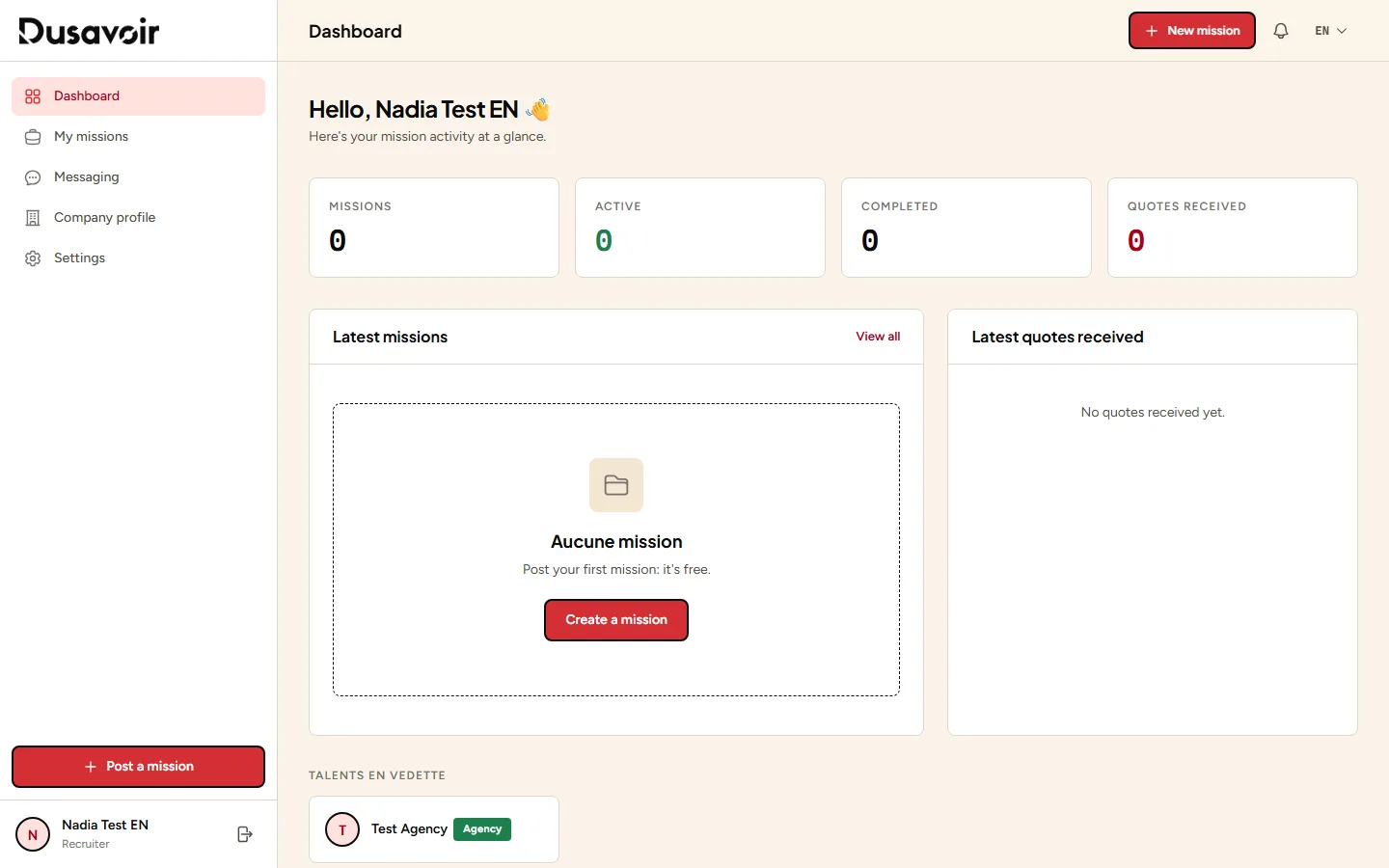
Describe your need
First step: give your mission a clear title, choose its category, then write a full description (minimum 50 characters): context, goals, expected deliverables, technical constraints. The more precise the description, the better the quotes you'll receive.
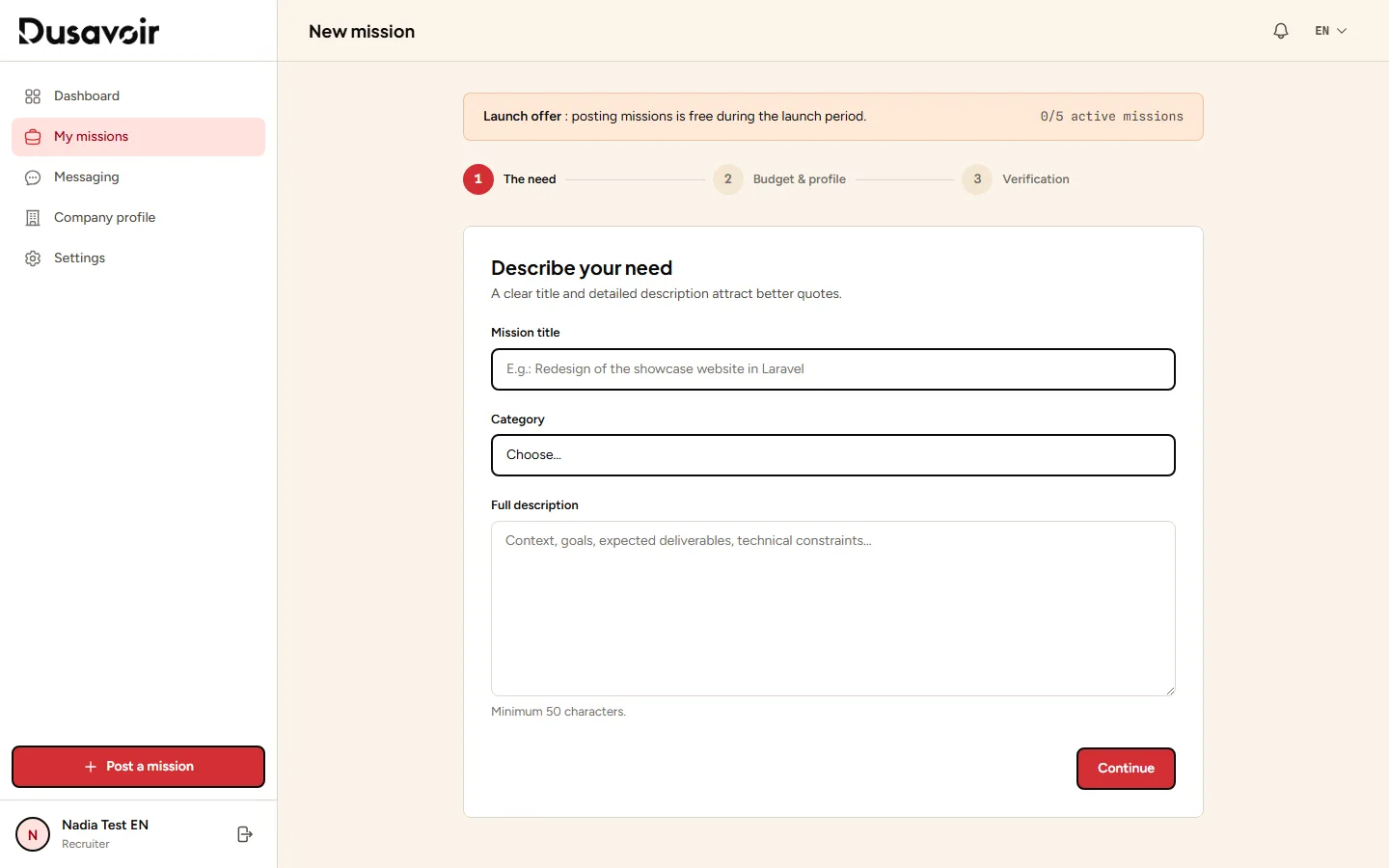
Specify the budget and the profile sought
Second step: specify your budget in dirhams and its type (fixed or hourly), an optional location, the experience level sought (junior, intermediate or expert), and whether remote work is possible. There is no field to attach files at this stage: describe any documents to be provided directly in the description.
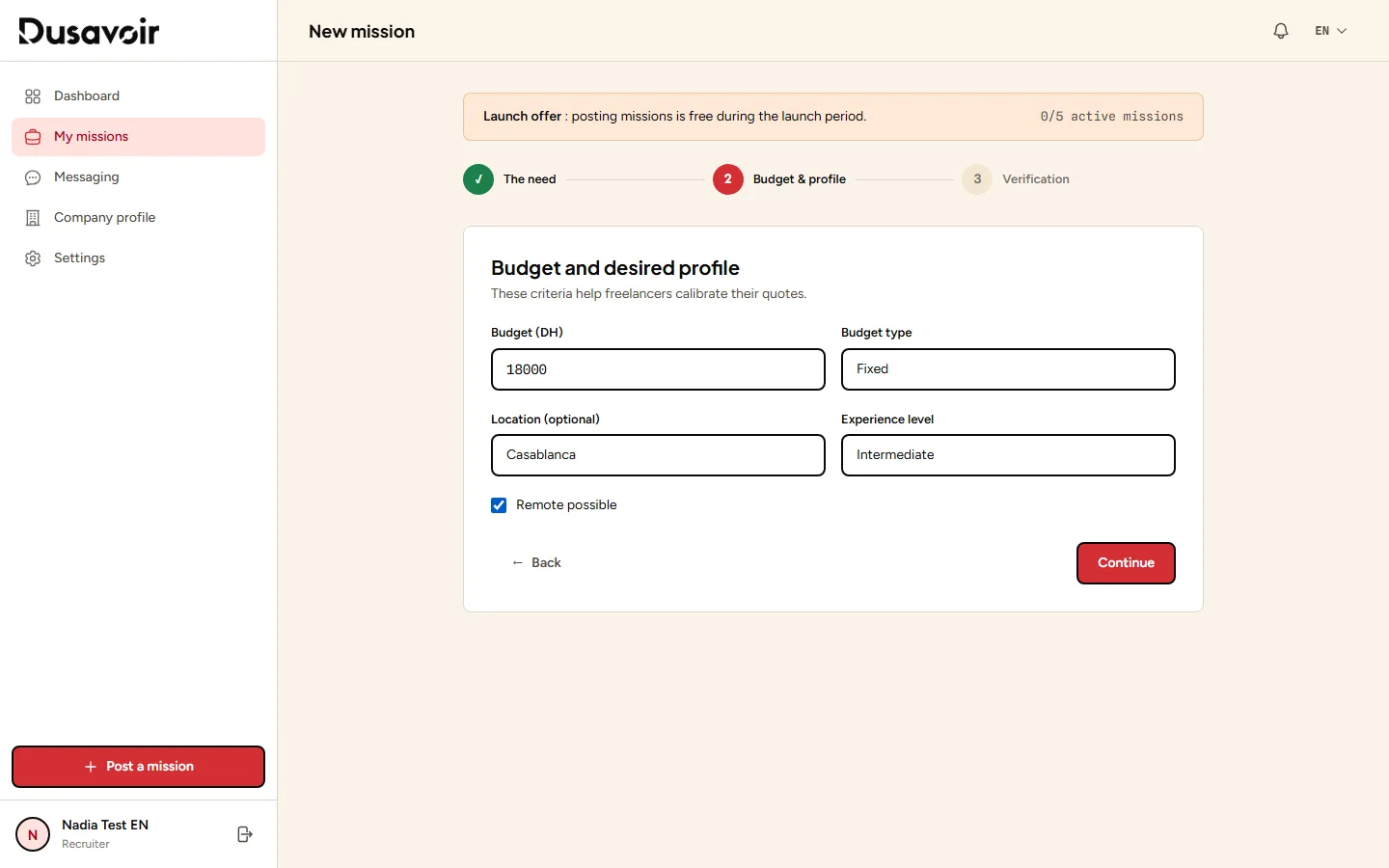
Review and publish
Last step: a preview of your mission is shown. Click Post the mission. A message reminds you that it will be reviewed by the Dusavoir team before appearing in the catalog — it first moves to "Pending review" status.
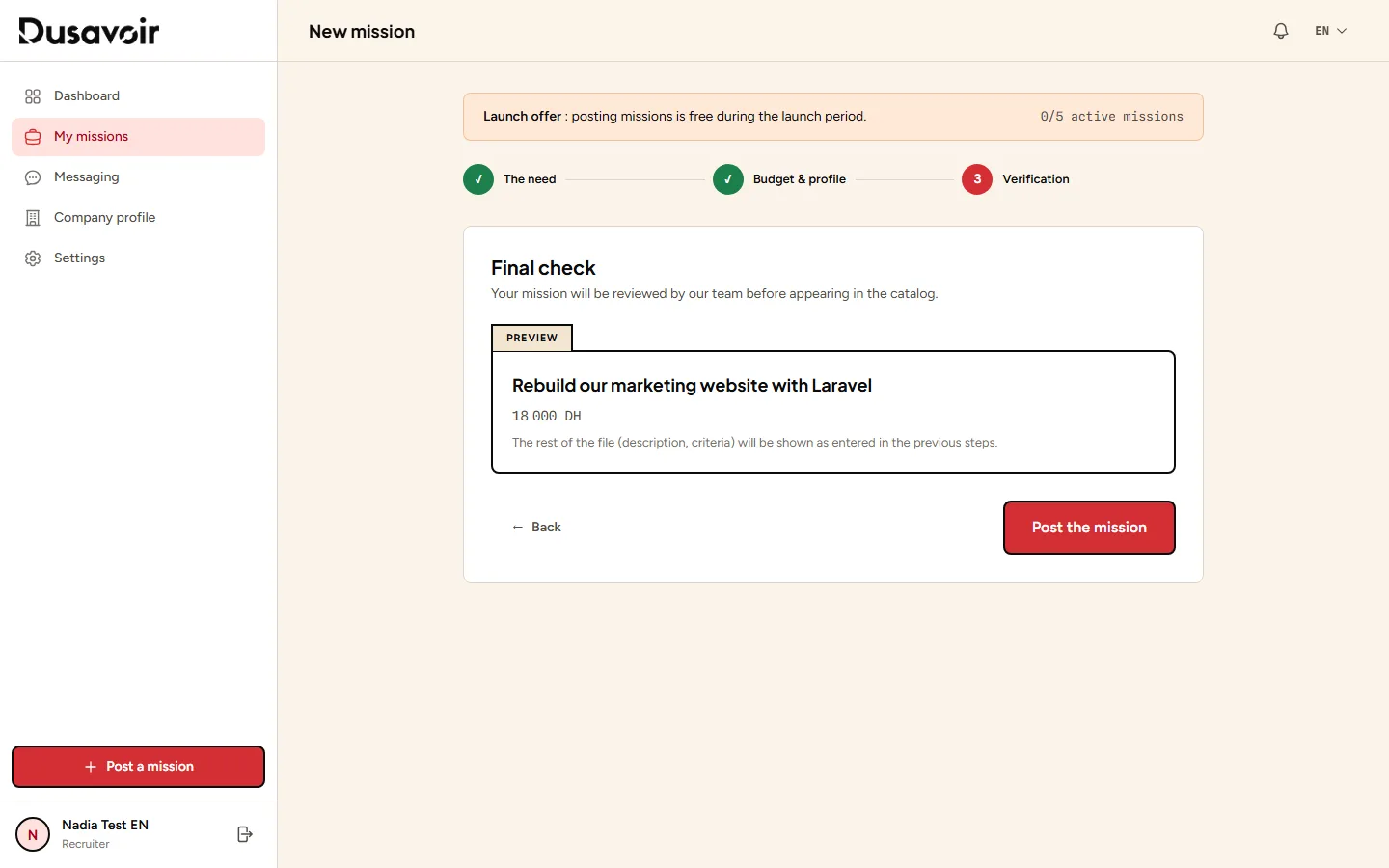
Your mission is pending, then published
After review by the team, your mission moves to "Published" status and becomes visible in the public catalog: freelancers can then view it and send you quotes.
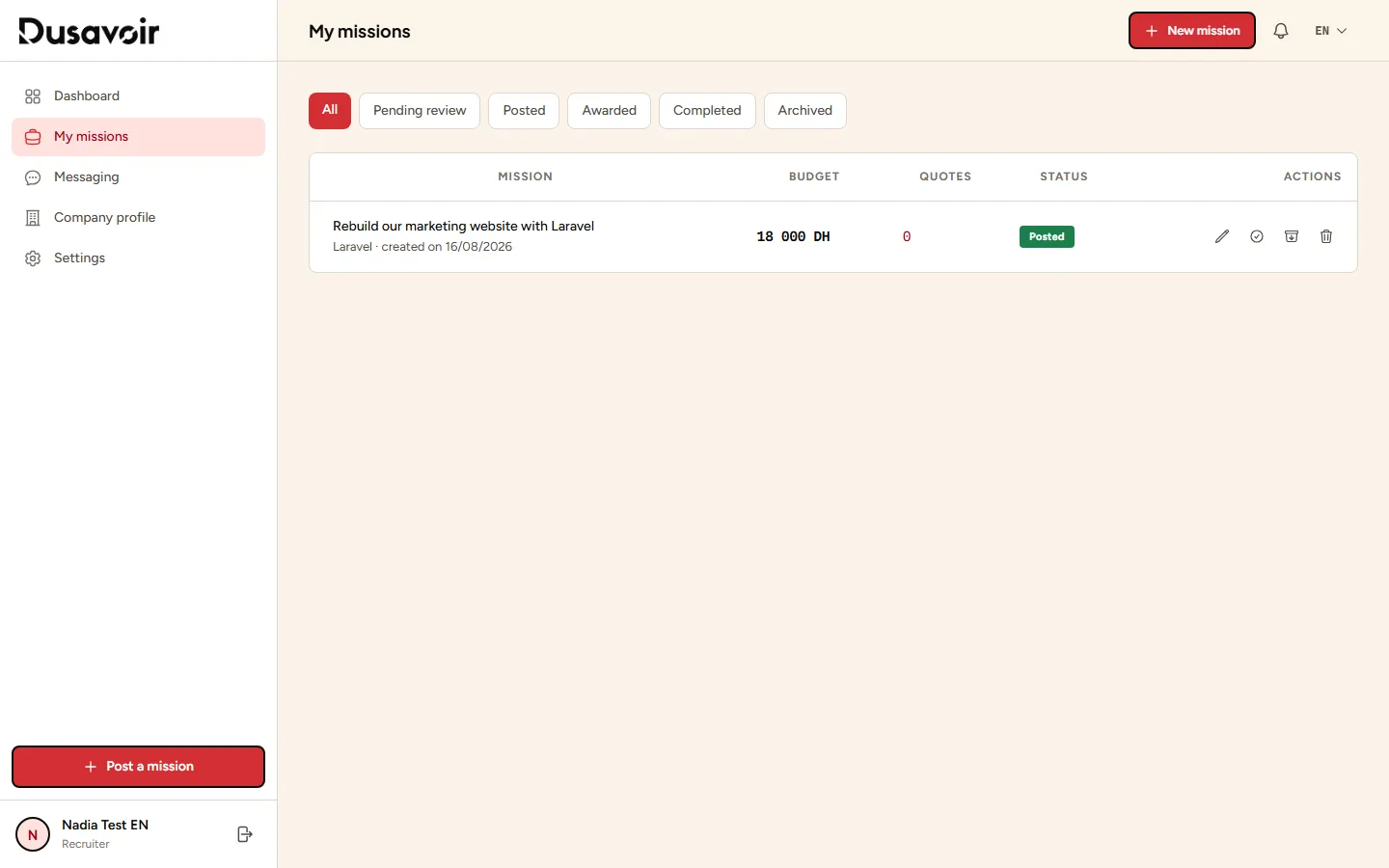
A concrete title ("Marketing website rebuild with Laravel" rather than "Need a developer") attracts more relevant quotes.
You can track your number of active missions in real time on the creation form — useful to know whether you should close an older mission first.
Frequently asked questions
Does my mission appear immediately in the catalog?
No. Every mission goes through a review step by the Dusavoir team ("Pending review" status) before becoming public. This delay allows incomplete or non-compliant listings to be filtered out.
Can I attach files to my mission?
There is no dedicated attachment field when creating a mission. Describe any documents or specifications you'll provide directly in the description text, or share them via messaging once a freelancer is selected.
How many missions can I post at the same time?
The number of simultaneously active missions (pending, published or awarded) is limited during the launch offer — the exact counter is shown on the creation form. Close or archive a finished mission to free up space.
Can I edit a mission after it is published?
Yes, an "Edit" button is available from the mission detail page in "My missions".
Another question?
Our team replies Monday through Friday.